Reviewed: 14 August 2026 · Written by Jay Jung
Many households hear about NBN tiers and think the biggest number is the right decision. In Australia, speed tiers are useful, but they do not define your actual home experience by themselves. A tier label only points to a general service group. Whether your family gets stable video calls at 8 p.m., whether uploads finish in a usable window, and whether devices stop dropping depends on the full chain from network profile and local technology through household usage and home network setup.
If you are buying for a home, you should evaluate this chain before you optimize by label.
Start with an honest use-case
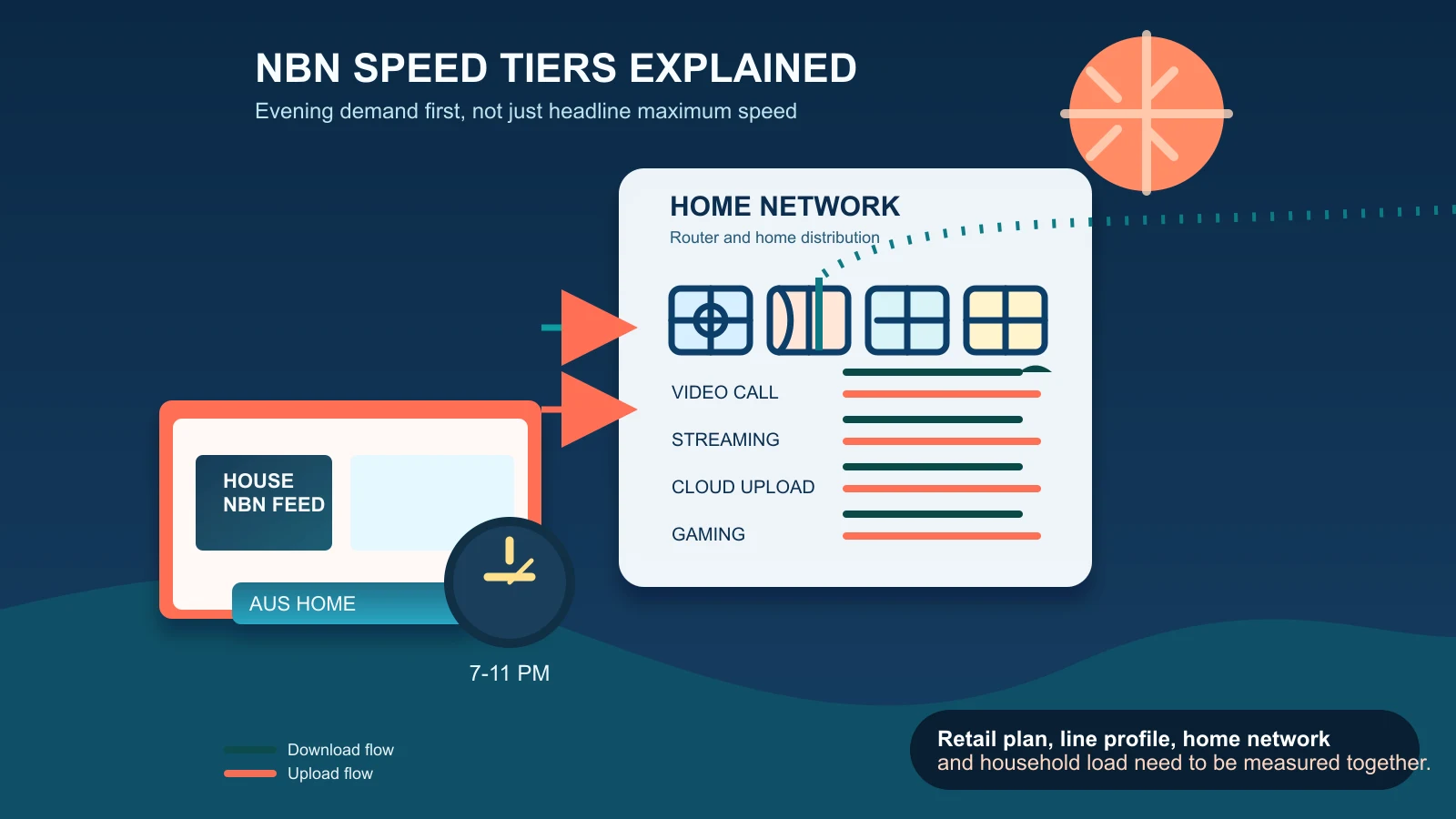
For most families, the key time is the evening window 7 p.m. to 11 p.m.. This is often when schoolwork, work-from-home calls, streaming, background sync, and gaming can overlap. That overlap creates a much more realistic stress test than a single headline download benchmark. In practice, users often report that a plan looks acceptable at noon but feels unstable at night.
Before changing plan or hardware, define:
- Your three most important household activities (for example, remote work calls, cloud backup, streaming, gaming, smart home control)
- Whether those activities happen together in the same hour
- The devices used for those activities and where each device is in the house
- How important video quality, upload completion, and low latency are for you
What NBN tiers represent (and what they do not)
Official NBN and retailer pages can make this look straightforward, but there are two hard boundaries.
First: tier labels are used differently by different actors. Retailers use their own packaging and naming. NBN’s underlying categories and technical constraints are the baseline context, while retailers add promotion names, contract terms, bundles, and data features. If you compare two sites with similar-looking speed names, they may not be equivalent in what is included or what is guaranteed.
Second: availability and performance are not universal by tier. A service shown on one public page can be absent at your address, or available only on one technology with different practical outcomes. A headline can look strong while the local path to your house behaves differently.
That is why this article treats current NBN tier names as time-sensitive reference points only and never as guarantees. Your real decision depends on what is currently deliverable to your address and technology.
Separate what you measure: speed is not one number
Household performance is composed of at least four separate indicators:
- Download speed (how quickly content reaches your device)
- Upload speed (how quickly outbound traffic finishes, including calls, collaboration, and backups)
- Latency (how quickly packets come back, important for calls and gaming)
- Dropouts or jitter (momentary interruptions and jitter that break quality)
It is common to improve one indicator while another remains unstable. If your upload collapses during uploads or cloud backup, higher download capacity will not solve the core pain for work calls or game hosting sessions.
Understand where the bottleneck begins
Think about two separate tests:
- Wired near-router test: connect a laptop or desktop via Ethernet near the access point, then run tests during a realistic evening workload.
- In-room Wi-Fi test: repeat similar tests at the place where family members actually use the service.
Both are necessary because they isolate different layers. A wired near-router test shows whether the line-to-home path is keeping up. A room test shows where home distribution is limiting you. If wired tests are steady and Wi-Fi rooms are weak, your home network is the first issue to solve. If both are weak, retailer/provider guidance should be your first escalation route.
Do not deep-dive router tuning inside this article. Instead, use existing guides for weak Wi-Fi and Ethernet vs mesh and keep this article focused on the plan and workload decision.
Simultaneous active use changes the equation
It is easy to treat a plan by its highest theoretical upload/download pair. In reality, households rarely consume in one direction only. A shared home network might include:
- Remote workers sharing large file upload windows
- Video call traffic that is sensitive to jitter
- Cloud upload or backup scheduling
- Streaming from TVs and mobile devices
- Smart home updates and IoT telemetry
Each active stream competes for available capacity during peak hours. That is why the same tier can feel adequate when one person uses it and strained during evening family usage. Compare the retailer’s advertised typical evening speed and upload information, then test it against simultaneous usage in your household rather than relying on one isolated peak number.
Do not over-index on historical or peak theoretical values
Older examples and historical charts can help build vocabulary, but they are not a guarantee for your home. Address characteristics, local load, and retailer service conditions change over time. If you rely on a single maximum value without time-window evidence, you may end up with a misleading result in practice.
Use the 7 p.m.–11 p.m. pattern as your baseline when deciding whether an upgrade is worth it. If your current tier performs below your core use during that window, then compare alternatives. If your family mostly uses the internet off-peak and only one person does high-bandwidth work, different thresholds may apply.
Provider sequence matters: first with provider, then TIO
When home-path tests indicate a plan-level issue, follow this order:
- Collect at least two evenings of repeatable results, not a single screenshot.
- Record whether the event is at a fixed room and time, and whether wired vs Wi-Fi differ materially.
- Open a ticket with your provider including connection date, time, test type (wired or Wi-Fi), and evidence logs.
- Ask for technology status and whether the address is currently constrained by profile, faults, or profile updates.
- Escalate to TIO only after provider troubleshooting is incomplete and you still need an external process review.
This path keeps your case consistent and avoids mixed escalation loops.
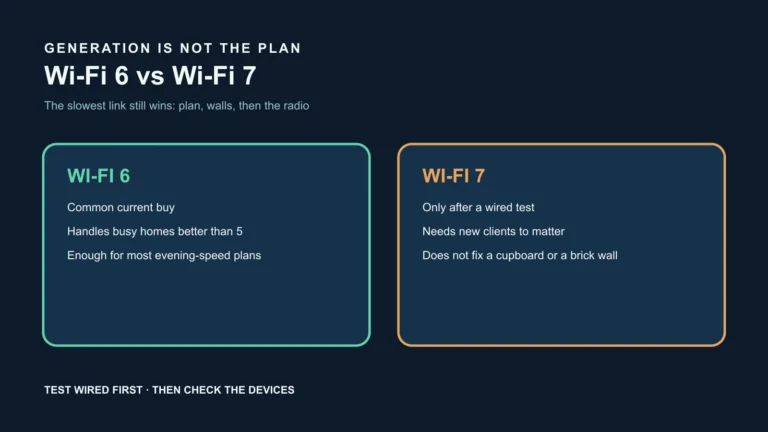
Router, Wi-Fi, and device limits are still part of final speed
Even with a capable plan, a family can see weak performance from:
- Device-age limits (older tablets and smart TVs often negotiate lower modulation or older Wi-Fi bands)
- Room distance and construction barriers that weaken signal quality
- Concurrent traffic in one household network segment
- Background updates or software syncs that consume upload in bursts
If these are not already measured separately, they can obscure whether the service itself or home distribution is the blocker. Your improvement sequence should start by confirming these factors before assuming a plan change is the fix.
What to check before changing anything
Before moving to another retailer plan, verify this sequence in writing:
- Plan tier name and the retailer’s published terms for your line profile.
- Evening 7–11 p.m. test with your normal household workload.
- Wired baseline at the router near-setup point.
- Room-based Wi-Fi test where the issue happens.
- Difference between download and upload behavior and whether dropouts align with one usage mode.
- Provider confirmation and documented troubleshooting status.
If your evidence points to home network limits, consult the dedicated guides and make incremental changes.
Plan comparison framework
Build a simple matrix for your family. For each candidate plan, assign:
- Primary work mode (video calls, cloud upload, gaming, streaming)
- Evening concurrency pattern (single user vs multiple devices)
- Required upload stability and latency tolerance
- Room-level consistency requirement (one room, multiple rooms, home office + lounge)
- Wired fallback availability
A plan that checks “higher headline” but fails for your upload pattern or room layout is not a better fit for home reality. In other words, match plan choice to household behavior, not marketing order.
Use complementary guides for setup depth
For Wi-Fi remediation and network topology details, use the in-depth guides already published in this section:
- weak Wi-Fi troubleshooting guide
- Ethernet vs mesh Wi-Fi comparison guide
- smart-home security setup guide
That is where you should validate router placement, device capacity, mesh design trade-offs, and security hygiene before changing plans.
Claims and boundaries this guide enforces
- Evening 7–11 p.m. behavior is a stronger decision signal than theoretical max speed.
- NBN tiers should be interpreted with the distinction between wholesale context and retailer naming.
- Tier labels and current values are discussed as current examples and are not a recommendation or guarantee.
- Download, upload, latency, and dropout handling are measured separately.
- Simultaneous active use changes throughput quality and perceived quality.
- Router and device limits remain part of outcomes and can produce room-level variance.
- Wired and near-router tests should be separated from in-room tests.
- Provider support should be contacted first, then TIO.
Official sources
- ACCC — Broadband speeds
- ACCC — Broadband performance data
- ACCC — Guidance on broadband speed claims for retail service providers
- nbn — Residential speed plans
- nbn — Network technology
- nbn — What to look for in a Wi-Fi router
- nbn — Complaints
- TIO — Complaint process
Disclosure: No affiliate relationships are implied or used in this article. This is editorial guidance only and does not guarantee availability, speed, uptime, upload reliability, performance, savings, or suitability for a specific address. NBN tiers, retailer naming, and plan terms can change. Confirm current official guidance and your provider documentation before service changes, and recheck your assumptions when your household needs change.