Smart cameras, speakers, lights, locks, televisions, appliances and thermostats can add useful automation, but every connected device also adds an account, app or network service that needs attention. Good smart-home security is not one setting. It is a short routine: choose supportable products, configure them carefully, reduce unnecessary access, and know how to remove them safely.
No checklist can guarantee that a device will never be compromised. The aim is to reduce common risks and limit what an attacker, leaked password or abandoned product could expose. Start with the devices that can see, hear, unlock, record or reveal when someone is home.
Before buying: check the security lifecycle
Look beyond features and compatibility. Find the manufacturer’s security-update policy, the promised support period, a vulnerability-reporting contact, and clear instructions for deleting data and transferring or closing an account. Check whether updates can install automatically and whether essential local functions continue if the cloud service ends. If the support period is missing or almost over, choose another product where practical.
- Confirm the exact model, app and required account are still supported.
- Check whether multi-factor authentication is available for the account.
- Understand what the camera, microphone, sensors and app collect, where recordings are stored, and whether a paid cloud service is optional or required.
- Prefer products that let you change credentials, install updates and disable features you do not need.
- Check household compatibility without granting more permissions than the feature requires.
What Australia’s 2026 standards mean
Australia’s mandatory security standards took effect for covered consumer smart devices manufactured after 4 March 2026. The framework places requirements on manufacturers and importers around passwords, vulnerability reporting and communicating the minimum security-update period. It does not mean every connected product is covered, that compliant devices are risk-free, or that the government has endorsed a particular model. Coverage and obligations depend on the legislation and the product, so use the Department of Home Affairs guidance for current scope and supplier responsibilities.
A security-update period is especially useful when comparing products: it tells you the minimum time the supplier says security updates will be provided. Record that date. A new device may still need immediate updates and secure setup.
Set up the device safely
- Update first. Install current device firmware, hub software and companion-app updates before enabling sensitive features. Turn on automatic security updates where available.
- Create unique credentials. Replace any default password. Use a long, unique password for each device account and a different password for the router administrator. Store them in a reputable password manager rather than reusing a memorable household password.
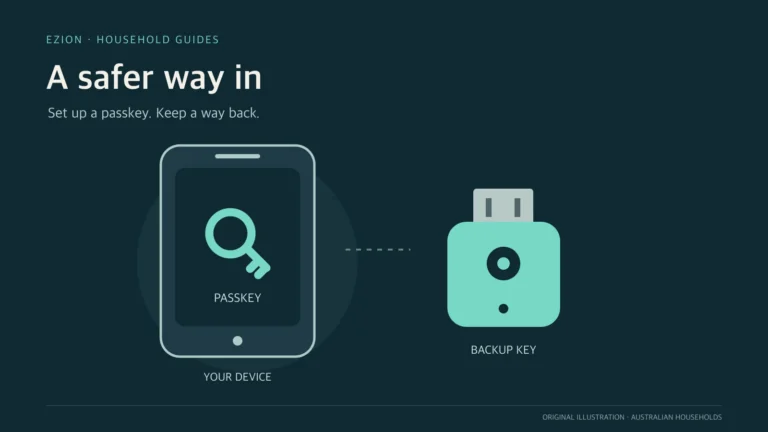
- Protect the main account. Enable multi-factor authentication where supported. Secure the email account used for password resets, review recovery details, and remove old household members or installers.
- Name devices without advertising details. A label such as “Hall light” is enough; avoid putting a full name, address or access code in a device name.
- Review permissions. Allow location, contacts, Bluetooth, local-network, camera or microphone access only when the feature genuinely needs it. “Always allow” should be a deliberate choice, not a setup shortcut.
Secure the router and home network
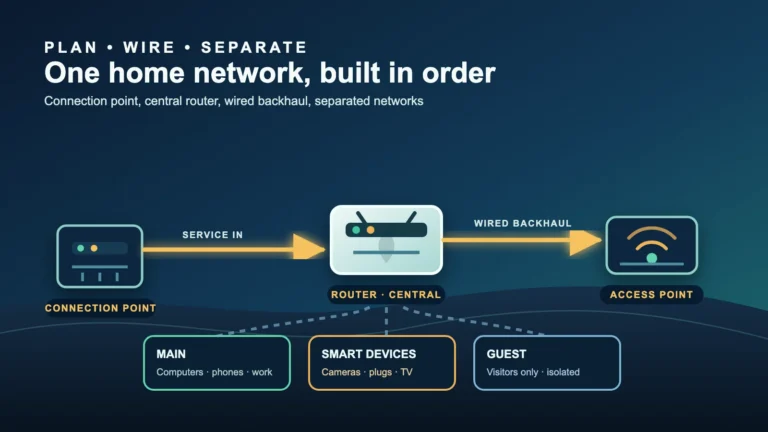
The router is the gateway shared by many smart devices. Change its default administrator password, keep its firmware updated, use WPA3 where all required devices support it or an appropriate current WPA2/WPA3 mode, and set a strong Wi-Fi passphrase that is not the administrator password. Disable remote router administration, WPS and unused services when they are not required and current manufacturer guidance supports doing so.
Put less-trusted smart devices on a guest or dedicated IoT network if your router supports it. This can reduce direct access to laptops and storage, but the word “guest” does not prove isolation: products differ in whether devices can reach each other, the main LAN or local controllers. Test required local features and check the router documentation. If coverage is unreliable, fix that rather than placing security devices on an unstable connection; see our weak Wi-Fi troubleshooting guide and Ethernet versus mesh Wi-Fi guide.
Reduce exposure after setup
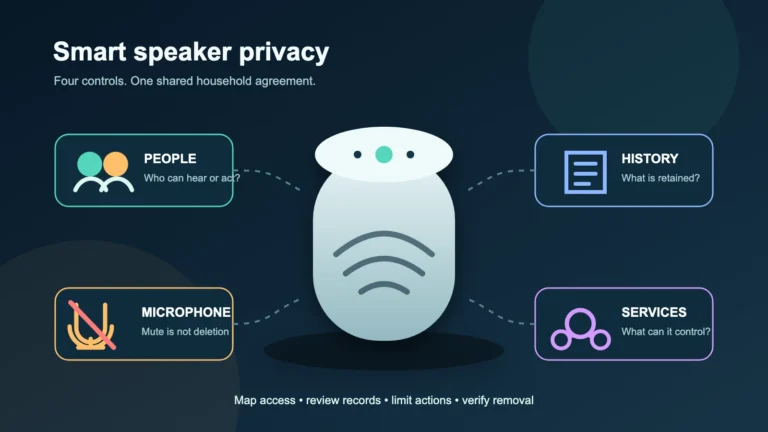
A feature that is off cannot be misused in the same way. Disable camera, microphone, voice purchasing, remote viewing, remote unlocking, cloud recording, integrations and developer or diagnostic access when you do not use them. Use a physical camera shutter or power control where appropriate, while recognising that unplugging a safety sensor also stops its intended function.
Review shared users and third-party integrations. Give each person their own account where possible instead of sharing the owner password. Use the least privilege available: viewing a doorbell does not necessarily require permission to unlock a door or change security settings. Remove temporary access promptly.
Check data and privacy settings
Read the practical parts of the privacy notice: what is collected, why it is used, how long it is retained, who receives it, and how deletion works. In the app, check recording zones, event history, voice history, advertising choices, analytics, cloud backups and face or voice recognition. Reduce retention and collection to what the household actually needs.
Tell household members and visitors when cameras or microphones operate, and avoid pointing cameras into neighbours’ private spaces. Privacy, tenancy, workplace and surveillance rules can vary by location and use. Security settings do not replace consent or legal obligations.
Use a simple maintenance routine
Keep a small inventory with the device, model, room, owner account, purchase date, support-end date and reset instructions. Every few months, or after a household change, open the app and check:
- firmware, app and hub updates are current;
- automatic updates and multi-factor authentication remain enabled;
- recognised devices, sessions, shared users and integrations are expected;
- camera, microphone, remote-access and privacy choices still match current use;
- the supplier has announced a vulnerability, recall, service closure or end of support.
Do not ignore an unsupported device simply because it still turns on. Disconnect it from the internet, replace it, or use a documented local-only arrangement that genuinely blocks unnecessary access. Network separation can reduce exposure but cannot repair vulnerable firmware.
If you suspect compromise
Warning signs can include unknown logins, unexpected password-reset messages, changed settings, unexplained camera movement or audio, unfamiliar users, or network activity when the device should be idle. A single glitch is not proof, but sensitive devices deserve a prompt check.
- Disconnect the affected device from the network or power if doing so is safe. Do not disable a smoke alarm, medical device or critical safety function without an appropriate alternative.
- From a trusted, updated device, change the account password and any reused passwords. Secure the associated email account, enable multi-factor authentication, revoke unknown sessions and remove unfamiliar users or integrations.
- Save relevant alerts, timestamps and account notices before resetting. Contact the manufacturer through an official channel and check its security advice.
- Update and factory-reset the device, then configure it as new rather than restoring questionable settings. If it is unsupported or suspicious behaviour returns, stop using it.
- If financial loss, stalking, threats or unlawful access may be involved, preserve evidence and contact the appropriate bank, platform, police or Australian cyber-reporting service.
Reset before sale, return or disposal
A factory reset is only part of departure. Download anything you need, remove local storage where applicable, delete recordings and personal data through the service, unlink third-party integrations, remove the device from the app and vendor account, then perform the documented factory reset. Confirm that it no longer appears in the account and remove its network reservation or access rule. For a return or transfer, follow the manufacturer’s ownership-transfer process; for disposal, use an appropriate e-waste service.
A practical priority order
Secure the router and main email account first, then cameras, locks, alarms and devices with microphones, followed by other connected appliances. Use unique passwords, updates, multi-factor authentication and fewer enabled features as the baseline. Revisit support dates: secure setup on day one is valuable only if the device remains maintained through its life.
Official sources
- Australian Signals Directorate — Internet of Things devices (updated 27 March 2026)
- Department of Home Affairs — Security standards for smart devices
- Australian Signals Directorate — Secure your Wi-Fi and router
- Australian Signals Directorate — Multi-factor authentication
- Australian Signals Directorate — Recovering a compromised online account
- eSafety Commissioner — Smart home
Reviewed: 4 August 2026. This is general security and privacy guidance, not a guarantee or legal advice. Product support, features and regulatory coverage vary; follow current official and manufacturer instructions.