Reviewed: 18 August 2026 · Written by Jay Jung
A new router box with “Wi-Fi 7” on the sleeve does not raise the nbn plan you bought. It also does not repair a cupboard installation, a brick wall, or a laptop that only speaks an older generation. The upgrade question is narrower than the packaging: will a newer radio standard change the slowest link in this house, or will the money be spent on a ceiling the plan and the devices cannot use?
nbn treats Wi-Fi generation as one of several router choices, not as a substitute for a wired test or a better location. This guide stays inside that boundary. It does not pick a brand, quote a street price, or promise a speed. Coverage and topology stay in the Ethernet-versus-mesh and weak-Wi-Fi guides. Evening congestion stays in the busy-period diagnosis. Plan size stays in the speed-tiers guide. The home network pillar is the build order this decision feeds.
What the generation number actually names
Wi-Fi 6 is IEEE 802.11ax, widely shipped from 2019. Wi-Fi 7 is IEEE 802.11be, which nbn’s consumer table dates to 2024. Those names describe how the radio talks to devices. They do not describe the wholesale nbn tier, the retailer plan, or the evening speed label on the offer.
nbn’s “what to look for in a Wi-Fi router” page publishes a guide-only table of typical maximum Wi-Fi speeds: Wi-Fi 7 over 2 Gbps, Wi-Fi 6 up to 1 Gbps, Wi-Fi 5 up to 500 Mbps, Wi-Fi 4 up to 100 Mbps. The same page says device capabilities vary by provider and manufacturer. Treat those numbers as a ceiling chart, not as a speed test you will see on a phone in the back room.
nbn’s in-home advice is consistent with that humility. If you need a new router, the most commonly available current technology is Wi-Fi 6 or above. Check the devices too. If they are not compatible with Wi-Fi 6 or newer, they may be unable to use the full speed of the new radio or of the nbn-powered plan.
The slowest link still wins
nbn’s connected-devices guidance is the sentence that should sit on the box before you pay: an older device released in 2009 or earlier with Wi-Fi 4 can only get speeds up to 100 Mbps, even if the new router supports Wi-Fi 6. The slowest element — router, cable or device — sets the ceiling.
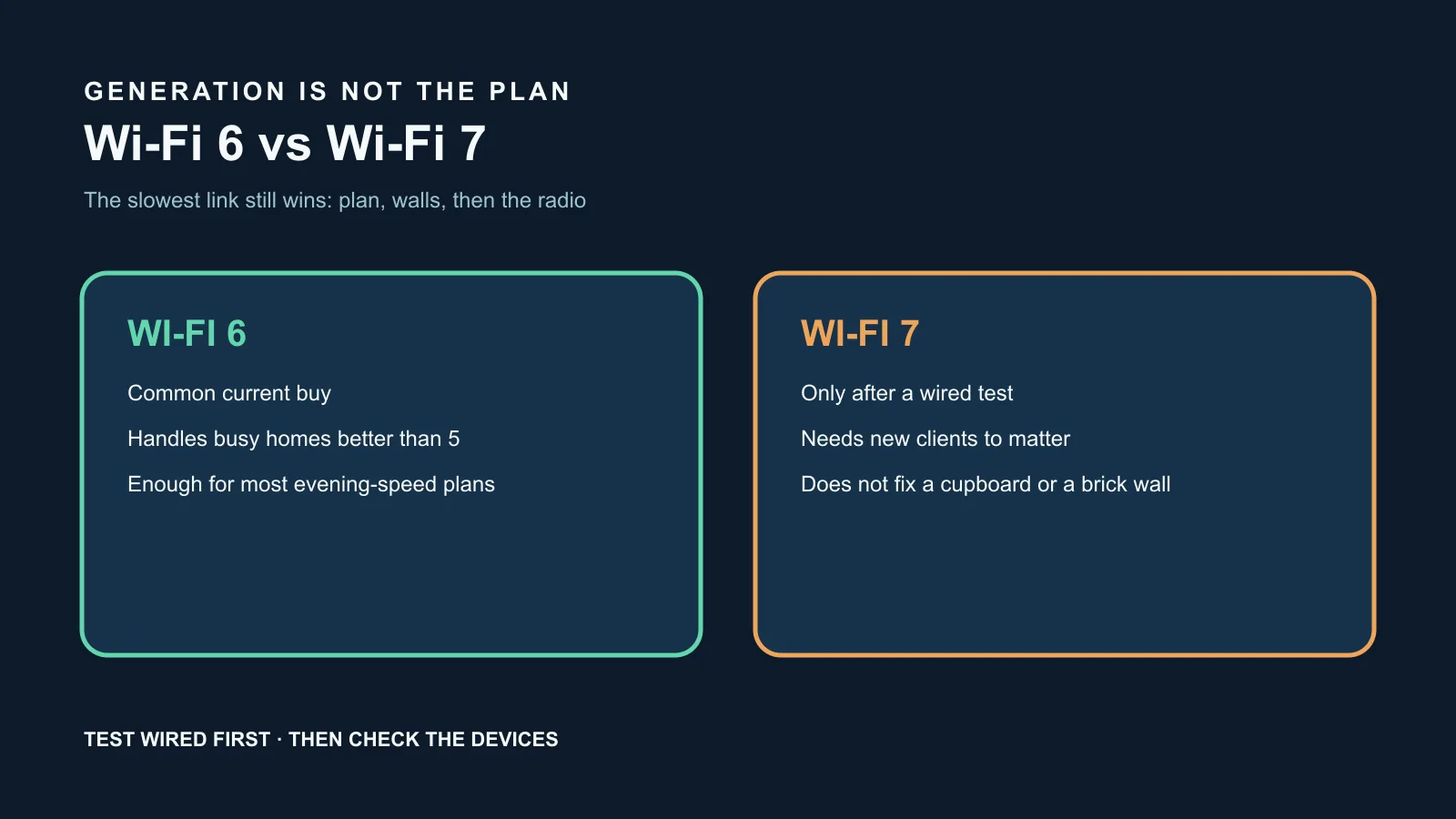
That is why a Wi-Fi 7 router next to a mix of older phones, a smart TV and a work laptop can feel identical to the Wi-Fi 6 unit it replaced. The new radio can talk faster only to clients that also speak the new generation, on a channel that is actually clear, over a path that is not already limited by the plan.
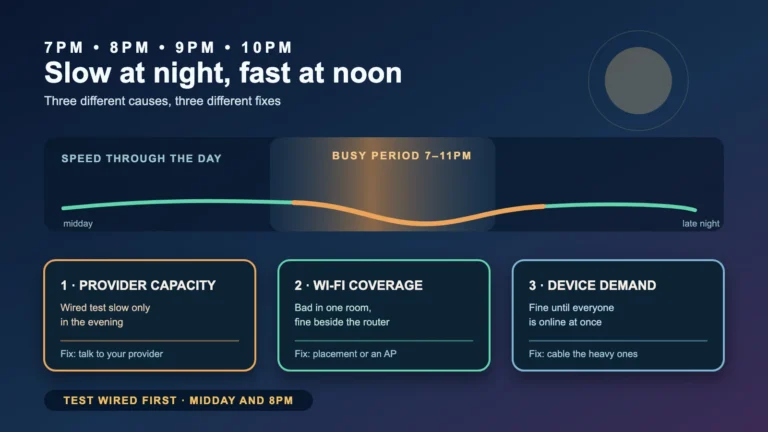
Do the same wired-first check the other guides use. If a cable beside the router already matches the plan’s typical evening speed, the radio generation is not the bottleneck. If the cable is fine and one room is not, generation is still the wrong first lever. Placement, obstruction and backhaul come first.
When Wi-Fi 6 is already the rational buy
For a household on a Standard or Standard Plus evening-speed plan, with a mix of phones and laptops bought in the last few years, a competent Wi-Fi 6 router in a raised, central, open position is the common current recommendation nbn itself makes. The in-home page tells people to look for at least Wi-Fi 6 if they want the optimal speed on the connection they already have.
Wi-Fi 6 also earned its keep in busy homes because it handles more clients at once more politely than Wi-Fi 5. If the complaint is “everything dies when two streams and a call overlap”, that can be airtime congestion on an old radio. Moving to Wi-Fi 6 can help those overlapping devices. It still will not create provider capacity in the 7pm to 11pm window, and it will not punch through a brick wall.
If the current router is already Wi-Fi 6, sitting in a decent spot, and a wired evening test matches the plan, a Wi-Fi 7 box is unlikely to be the highest-value next dollar. Spend that dollar on the room that fails the in-room test, or on cabling the television and console, which nbn’s wired-versus-wireless page still recommends for high-demand devices.
When Wi-Fi 7 can matter
Wi-Fi 7 is worth a hard look when three facts are already true. The plan’s typical evening speed is high enough that a 500 Mbps-class radio would clip it. Several daily devices are new enough to use Wi-Fi 6E or Wi-Fi 7, not just associate with the network. And a wired test already shows the service itself can deliver what the plan claims.
nbn’s table puts Wi-Fi 7 above 2 Gbps as a typical maximum. That number is a radio-class ceiling. It is useful only on addresses and plans that can actually present that much to the router, with a connection box and retailer equipment that support it. A Premium evening-speed plan is still labelled around a typical busy-period floor, not a multi-gigabit guarantee. Confirm the plan, the connection box and the retailer’s equipment list before treating Wi-Fi 7 as a requirement.
Multi-link and 6 GHz operation are the practical reasons people upgrade, not the logo. They help when the 2.4 GHz and 5 GHz bands in the house are already crowded and the clients can follow the new radio onto cleaner spectrum. If the clients cannot, you have bought a feature the living room will never use.
Placement still beats the logo
nbn’s router page is blunt about location. Put the router somewhere central, raised and open. Thick brick or cement walls, floors, baby monitors, Bluetooth devices and a cupboard shelf all take more throughput than the gap between two recent Wi-Fi generations. Hiding a Wi-Fi 7 unit where the old one sat will reproduce the old map.
Our weak Wi-Fi guide works through room-by-room symptoms. Our Ethernet versus mesh guide covers the structural choice when one box cannot see the back of the house. Our home network setup guide is the sequence: access technology, plan tier, router, coverage, measurement. Generation sits inside the router step, not above it.
Australian Consumer Law guarantees still apply to the hardware you buy. They are separate from a manufacturer’s Wi-Fi generation claim and from any speed the retailer printed on the broadband offer. Keep the receipt. A generation upgrade is not a waiver of those guarantees, and it is not a substitute for them.
A decision you can finish in one evening
Write down the plan’s typical evening speed from the offer or critical information summary. Test wired beside the router between 7pm and 11pm. Test the worst room over Wi-Fi. List the two or three devices people actually complain about, and look up their Wi-Fi generation in the system information, not on the sales page for a different model.
If the wired evening result is already at the plan and the worst room is the problem, do not buy Wi-Fi 7 yet. Fix placement or add a properly backhauled access point. If the wired result is short of the plan, call the provider — our NBN speed tiers guide is the plan-size conversation, not this page. If the cable is fine, the rooms are fine, and only old clients are slow, a new radio will not resurrect them.
Buy Wi-Fi 6 when the current router is Wi-Fi 5 or older and the devices can use it. Consider Wi-Fi 7 only after the wired test, the device list and the plan all show headroom that Wi-Fi 6 would clip. Then compare two retailer or manufacturer units on ports, backhaul and where you can actually put the box — not on the number printed largest on the carton. A quiet evening of notes beats another unused logo on the shelf.
Wi-Fi 6 versus Wi-Fi 7 checklist
- Write down the plan’s typical evening speed before shopping.
- Run a wired evening test beside the router.
- Run an in-room Wi-Fi test where people actually sit.
- List the complaining devices and their real Wi-Fi generation.
- If the current router is older than Wi-Fi 6 and the devices can use Wi-Fi 6, that is the default upgrade.
- If the router is already Wi-Fi 6 and one room fails, fix placement or backhaul first.
- Consider Wi-Fi 7 only when the plan, the wired test and several daily clients all have headroom.
- Do not hide the new box in the same cupboard as the old one.
- Keep proof of purchase. Consumer guarantees apply to the hardware, not to a generation logo.
Official sources
- nbn — What to look for in a Wi-Fi router
- nbn — Tips to optimise your home internet set-up
- nbn — Your connected devices
- nbn — Wi-Fi, wired, or both
- nbn — Optimise your internet setup
- ACCC — Broadband speeds and speed claims
- ACCC — Consumer guarantees
- nbn — Network technology
Disclosure: Ezion Guide has no affiliate relationship with any internet provider, router manufacturer or government body mentioned here. This general information does not guarantee any speed, coverage, compatibility or suitability. Plans, connection equipment, device radios and manufacturer claims change. Confirm current details with your provider and the device documentation, and follow manufacturer instructions for any installation.