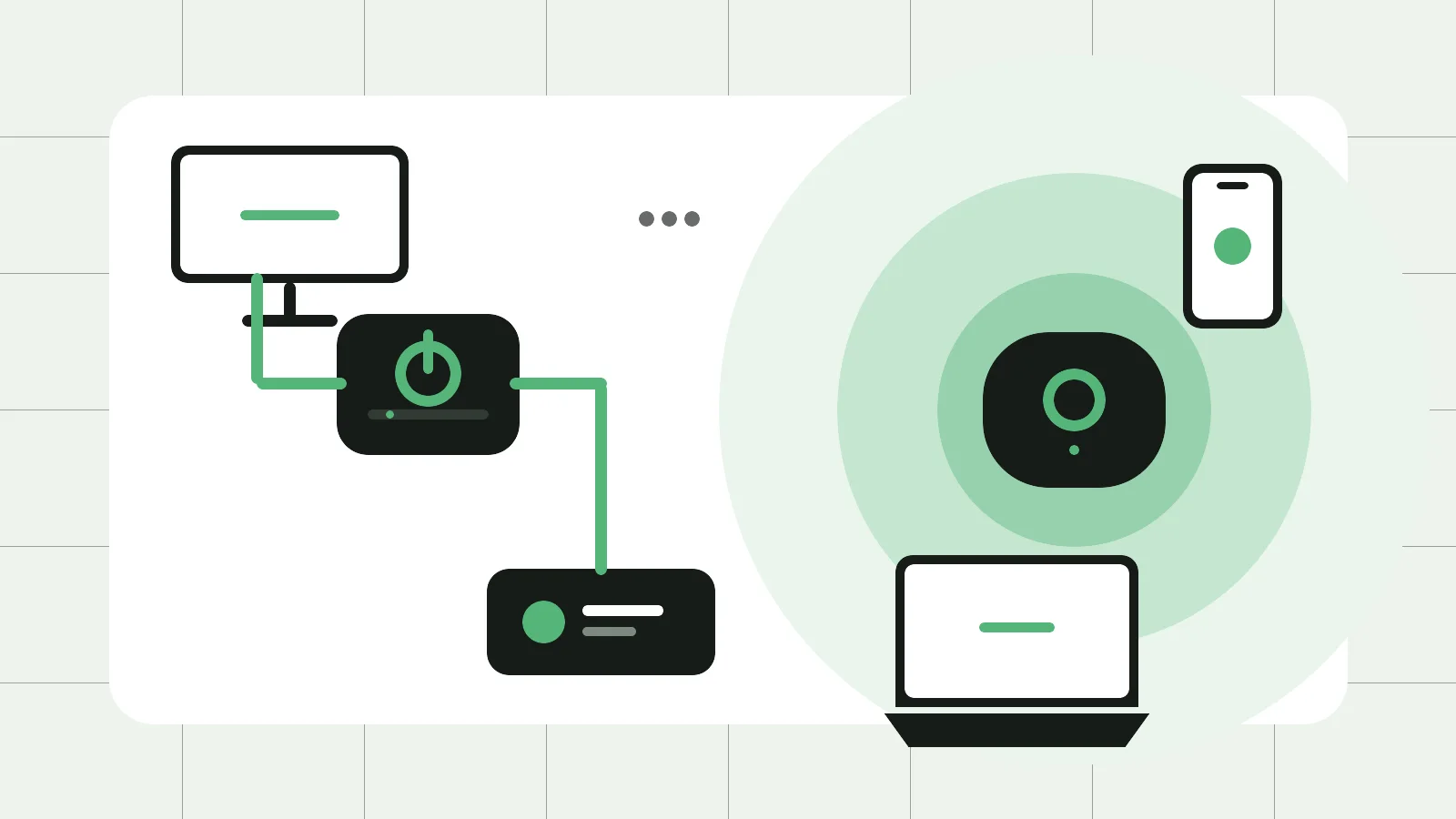
Ethernet is usually the most consistent choice for fixed devices. Mesh Wi-Fi is usually the more convenient way to improve wireless coverage for phones, tablets and laptops moving around a larger home. Many households do not need to choose only one: cable the devices that stay put, then use Wi-Fi for mobility.
Neither option makes the internet service arriving at your router faster. Before spending money, compare the same device beside the router and in the room where the problem occurs. If wired and near-router results are also poor, investigate the service, provider equipment or router first. If you have not isolated the fault yet, start with our weak Wi-Fi troubleshooting guide.
What each option changes
Ethernet
Ethernet carries network traffic through a cable between a router or network switch and a device. It suits televisions, desktop computers, game consoles, network storage and work docks that stay in one place. A wired link avoids radio congestion along that cable, is normally more predictable, and can reduce demand on the household Wi-Fi.
The limits are physical. You need a safe cable route and available ports. A loose patch lead may be simple; neat fixed, concealed or in-wall cabling is different. ACMA says registered cablers must perform cabling work covered by Australia’s telecommunications cabling rules. Do not treat fixed cabling as a casual DIY job.
Mesh Wi-Fi
A mesh system uses a main unit and one or more nodes to provide one managed wireless network over a wider area. It is useful where a single router cannot cover the rooms or floors in which mobile devices are used. Nodes can make roaming easier than maintaining unrelated extenders and network names.
A wireless node still needs a healthy connection to another node. Thick walls, distance, metal and household appliances can weaken that link. Putting a node inside an existing dead zone does not create a good signal; begin between the main unit and the weak room, then test normal tasks in both places.
Ethernet vs mesh Wi-Fi at a glance
| Decision factor | Ethernet | Mesh Wi-Fi |
|---|---|---|
| Consistency | Usually strongest for a fixed device | Varies with node placement, walls and interference |
| Mobility | Not useful while a device moves around | Designed for wireless devices across rooms |
| Local latency | Usually lower and more predictable | Can vary, especially over wireless backhaul |
| Installation | Easy for a short lead; harder for fixed runs | Usually easier without new fixed cabling |
| Coverage | Serves the endpoint or access point at the cable | Multiple well-placed nodes can cover more area |
| Interference | The cable is not affected by nearby Wi-Fi | Shares radio spectrum with nearby networks |
| Changes later | Extra rooms may need cabling or a switch | Nodes can often be repositioned more easily |
Choose by room and activity
Gaming, video calls and fixed workstations
For a stationary console, desktop or work dock, Ethernet is the safer first choice when practical. Consistency and changes in latency often matter more than one high speed-test result. Mesh can still work when a cable route is impractical, but test it at the time and location where calls or games normally happen.
Streaming television
Ethernet is a low-maintenance option for a television or media box that never moves. However, stable Wi-Fi may already be sufficient. Do not cable a room merely because Ethernet is theoretically better when there is no real viewing problem to solve.
Phones, tablets and laptops
Mesh is more useful when people move between rooms or floors and one router leaves measured weak areas. A smaller home with a centrally placed router may need no mesh at all. Buy coverage hardware for a demonstrated coverage problem, not as an automatic upgrade.
Long, multi-storey and difficult homes
Layout and building materials matter as much as floor area. Start each wireless node where it can still receive a solid signal. If Ethernet already reaches another floor or distant room, a wired access point or a compatible mesh node using Ethernet backhaul can provide more predictable coverage than adding more wireless hops.
Rentals and heritage homes
A safely routed loose cable may solve one important fixed-device problem without permanent work, while mesh can extend mobile coverage without opening walls. Keep leads away from walkways, doors, heat, water and crushing furniture, and check landlord, strata and cabling requirements before permanent changes.
The hybrid setup is often the practical answer
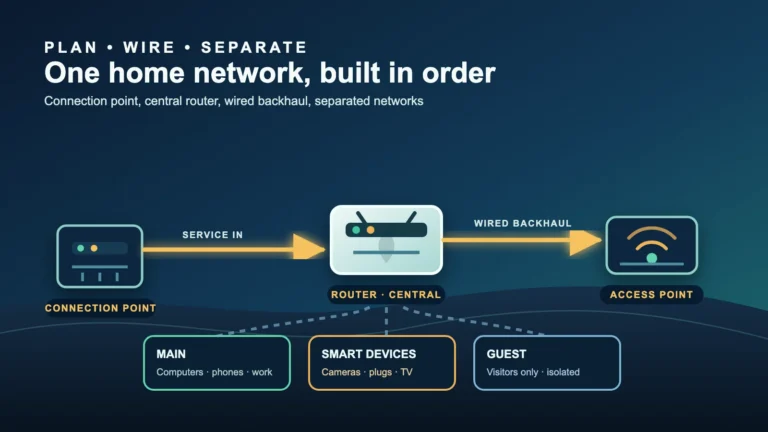
Internet or nbn equipment → router or main mesh unit → Ethernet to fixed devices and/or distant mesh nodes → Wi-Fi for mobile devices.
With wired backhaul, Ethernet carries traffic between compatible mesh units. That makes the node-to-node link less dependent on walls and leaves wireless airtime for phones and laptops. Confirm that the specific system supports Ethernet backhaul and the intended topology before installation; not every mesh, modem-router or provider configuration works the same way.
A small network switch can add LAN ports, but the router, switch, cable and device ports all have limits. Existing structured cabling may be more useful than another wireless node. Follow manufacturer and provider instructions if bridge mode, access-point mode or duplicate routing is involved.
A practical setup checklist
Before changing anything
- Test beside the router and in the problem room with the same device.
- Compare with Ethernet where practical and check for a provider outage.
- List the fixed devices, mobile devices and rooms that actually need coverage.
- Inspect existing data outlets and note rental or strata restrictions.
If using Ethernet
- Use undamaged cables suitable for the equipment; a cable label alone does not guarantee end-to-end performance.
- Keep loose leads protected and label both ends of longer runs.
- Use a registered cabler for fixed, concealed or in-wall work where required.
- Retest the real device after installation.
If using mesh
- Update the system before final placement.
- Start extra nodes between the main unit and weak room, not in the dead zone.
- Keep nodes open, elevated and away from large metal objects and major appliances.
- Use Ethernet backhaul where supported and practical.
- Test real tasks in every required room instead of relying only on an app graphic.
Security and maintenance matter either way
- Replace default administrator credentials with a unique, strong password.
- Install router or mesh firmware updates and enable automatic security updates when supported.
- Use the strongest security mode all required devices support, preferably WPA3 or an appropriate WPA2/WPA3 mode rather than obsolete protocols.
- Use a strong, unique Wi-Fi passphrase that is different from the administrator password.
- Disable remote administration, WPS and unused services when they are not required and current vendor guidance supports doing so.
- Use a guest network for visitors or less-trusted devices when supported; isolation varies by product.
- Factory-reset retired equipment and remove it from the vendor account or app.
Ethernet is not automatically secure: a person with access to an active LAN or wall port may be able to connect. Likewise, mesh is not inherently less secure. Configuration, physical access and ongoing update support matter more than the category name.
A simple decision rule
- Choose Ethernet first for fixed devices where consistency, low latency or large local transfers matter.
- Choose mesh first when the measured problem is mobile-device coverage across rooms or floors and new cabling is impractical.
- Combine them when you need both: cable fixed high-demand devices and, where supported, connect mesh nodes by Ethernet.
If wired and near-router tests remain poor, stop buying coverage hardware and investigate the incoming service, provider equipment or router.
Official sources
- nbn — Wired vs wireless
- nbn — Why your Wi-Fi router matters
- ACMA — Improving your home internet
- ACMA — Find a registered cabler
- Australian Cyber Security Centre — Secure your Wi-Fi and router
Reviewed: 3 August 2026. This is general home-network guidance. Equipment, buildings, service technologies and provider requirements vary; follow current provider and manufacturer instructions.