By Jay Jung
Reviewed 25 September 2026
This independent guide contains no affiliate links, does not endorse any manufacturer or product, and cannot guarantee security, privacy, legal compliance or a particular outcome. It is general information, not legal advice; check the laws and housing rules that apply in your Australian state or territory.
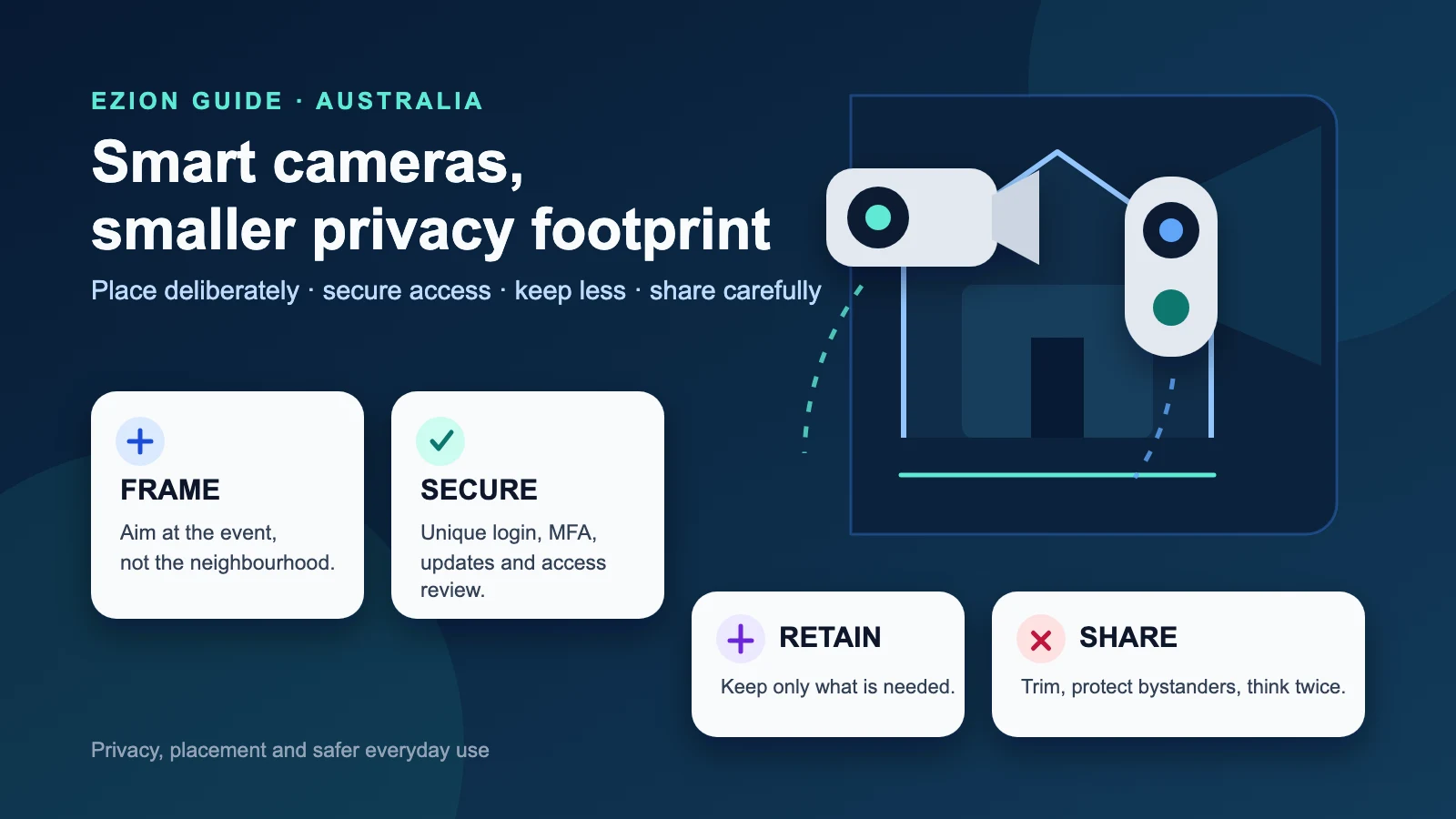
A household camera can help you see who is at the door, check a delivery or review an incident. It can also record neighbours, visitors, children, workers and passers-by who never agreed to become part of your home-security archive. A sensible setup starts before purchase: define the job, limit the view, secure the account and decide how recordings will be handled.
Start with the job, not the feature list
Write down the specific problem you want the device to solve. A video doorbell might need to show a caller standing at the entrance and the place where parcels are left. A driveway camera might need to identify activity inside your boundary. An indoor camera might be intended for a short period while a pet is recovering. These are different jobs, and they do not require the same field of view, recording schedule or retention period.
More coverage is not automatically better. A wide lens, continuous recording, sensitive microphone and permanent cloud archive may collect far more than the household needs. Choose the least intrusive device and settings that can do the defined job.
Before buying, confirm whether the camera can operate without features you do not want. Check whether audio recording can be disabled, whether activity zones and privacy masks are available, whether local storage is supported, how cloud storage works, whether clips can be deleted in bulk, and whether household members can receive separate accounts. Read the privacy policy for both the camera and its app. Look for clear explanations of what data is collected, where it is stored, who receives it and what happens after you close the account.
What Australia’s smart-device rules do and do not tell you
Most in-scope smart devices manufactured on or after 4 March 2026 have requirements under Australia’s smart-device security rules. The baseline includes protections relating to universal default passwords, a published way to report security issues, and published information about the period and end date for security updates. Products manufactured before 4 March 2026 are not required to comply merely because they remain on sale after that date.
Ask the seller or manufacturer for the product’s Statement of Compliance when the rules apply. Treat it as one purchasing input, not a quality badge. A Statement of Compliance is not independent certification and is not a guarantee that a camera is secure, private, reliable or suitable for your home. It does not replace checking the support end date, update method, privacy controls, account protections and the manufacturer’s record of maintaining its products.
Support life matters because cameras often remain mounted for years. Prefer a product with a clearly stated security-update end date. Find out whether updates install automatically, whether failures are reported, and what stops working if cloud or app support ends. Put the support end date in your calendar.
Privacy law is only part of the placement decision
The federal Privacy Act 1988 usually does not cover a security camera operated by an individual in a private capacity. That does not create a general right to record anything visible or audible from your property. State and territory surveillance-device and monitoring laws may apply. Local council requirements, strata by-laws, rental or tenancy conditions, building rules and contractual obligations may also affect installation or use. The position can differ by jurisdiction and by whether audio is captured.
This guide provides general information, not legal advice. If your proposed view includes a neighbour’s private area, a shared corridor, a common-property entrance, a workplace, a care setting or persistent audio recording, obtain advice for your state or territory and your housing arrangement before installation. Renters should also check the lease and seek any required permission before drilling, wiring or attaching equipment.
Even where a law does not prohibit a placement, a less intrusive angle is usually better. Talk to neighbours when a camera near a boundary could concern them.
Position the camera to capture the event, not the neighbourhood
Install temporarily before you drill. Hold or mount the camera in the proposed position, open the live view and inspect the frame at different times of day. Test with the front door open and closed, with porch lights on, in bright sun and after dark. Night vision, glare, reflective walls and moving vegetation can change what the camera records and how often it triggers.
- Limit the field of view. Aim down toward your path, gate, porch or driveway rather than outward across the street. Avoid windows, neighbouring yards and doors that are not relevant to your purpose. Use privacy masks or blocked zones where available, then verify that recorded clips, not just the live preview, respect them.
- Set activity zones. Exclude footpaths, roads, shared driveways and trees if they are not part of the security task. This reduces recordings of passers-by and cuts nuisance alerts.
- Choose a defensible height. The camera should capture useful detail without being easy to remove or redirect. Do not place it so high that every face becomes the top of a head. Keep cabling and removable storage out of casual reach where practical.
- Protect private household spaces. Avoid bedrooms, bathrooms, changing areas and places where people reasonably expect privacy. Indoor cameras need a particularly clear purpose and household agreement.
- Use visible notice where appropriate. A doorbell is obvious to many visitors, but a small camera or microphone may not be. A simple notice can make recording less surprising, particularly for regular workers, carers and guests.
Audio deserves a separate decision. A microphone can capture conversations well beyond the image’s useful area, and audio rules can differ from rules for video. If sound is not essential to the defined job, turn it off. If two-way talk is useful but continuous audio recording is not, check whether the product lets you separate those functions.
Configure the account before relying on the camera
Create a long, unique password for the camera account. Do not reuse an email, banking, shopping or social-media password. Turn on multi-factor authentication if the service offers it, and protect the email account used for password resets with its own strong authentication.
Avoid one shared login passed around the household. Give each authorised adult a separate account where the platform supports it. Grant only the access needed: live view, notifications, clip download, settings or device administration. Separate accounts make it easier to remove access when a resident, cleaner, pet sitter, tradesperson or former partner no longer needs it. Review the access list regularly and remove old phones, browser sessions and integrations.
Change any default device or administrator credentials during setup. Install current camera firmware and app updates before finalising the placement. Enable automatic updates if they are supported and reliable, but still check periodically that the device is receiving them. Updates can reset settings on some products, so recheck privacy zones, audio, recording schedules and sharing permissions after major updates.
Disable features you will not use, including public clip links, broad voice-assistant access, third-party integrations and remote web administration. If a service offers end-to-end encryption, learn what it covers and what trade-offs it creates; do not infer protection from a marketing phrase alone. For wider connected-device account practices, see the smart-device security checklist.
Put the camera on a safer home network
The camera account is only one part of the system. The camera, router, phone, vendor app and cloud service all affect the result. Change the router’s default administration username and password, use a long unique Wi-Fi password, install router firmware updates and disable internet-facing remote management unless you genuinely need it.
Where the router supports it, place cameras and other smart-home products on a separate IoT or guest network. Client isolation can add separation when those devices do not need to communicate with each other. Test the setup because some hubs, local storage units and doorbell chimes require local communication. Use the strongest compatible Wi-Fi encryption, preferably WPA3 or a suitable transition mode, with WPA2 as the minimum fallback described by Australian cyber guidance.
Review the router’s connected-device list so you know which camera, chime and hub entries belong there. Rename entries if the router permits it. Replace a router that has reached end of life and no longer receives security updates. For step-by-step network guidance, see the home network setup guide.
Decide what gets recorded and how long it stays
Choose event recording, continuous recording or no recording according to the job. A live-view-only camera creates less stored material but cannot provide a later clip. Event recording reduces volume, although poor motion settings can still collect most movement outside the property. Continuous recording may be justified for a narrow use case, but it needs a deliberate storage limit.
Set the shortest retention period that still serves your purpose. Do not keep routine clips forever just because storage is available. Check whether deletion removes footage from local storage, the cloud account, downloaded devices and shared links. If a clip is needed for an incident, preserve that clip separately and let unrelated footage follow the normal deletion schedule.
Tune motion sensitivity and zones so household members do not learn to ignore constant alerts. Restrict lock-screen previews if they expose faces, times or household routines. Enable recognition or analysis features only when needed.
Share clips as if they may travel further
A recording made for household security does not automatically belong on a neighbourhood group or social-media feed. Before sharing, ask whether the recipient needs the full clip. Trim irrelevant footage, blur bystanders where practical and remove audio that is not needed. Avoid publishing an identifiable person merely to ask a general question about a parcel or unfamiliar vehicle.
Video can reveal an address, school uniform, workplace, car registration, disability, daily routine or the times a home is empty. Once a clip is sent or posted, another person may download, screen-record or redistribute it. Deleting the original post may not remove the copies.
Take extra care with children. Consider their rights and interests before taking or sharing footage, explain what the camera does in an age-appropriate way, and seek the child’s agreement where they can understand the choice. When sharing is contemplated, be clear about who will receive the clip, where it will be stored and for how long. Sometimes the safer choice is not to share it at all.
Make daily operation predictable for everyone at home
Household members should know where cameras are, when they record, whether microphones are active, who can watch live video and how long footage remains available. Agree on rules for indoor cameras, guest access and clip sharing. Do not use hidden monitoring to solve a household trust problem.
Check the system every few months and after changing internet provider, router, phone or household membership. Confirm the clock and time zone, recording status, privacy masks, audio setting, storage capacity, update status, account access and notification destinations. Test that a useful event can be found and exported without changing the normal retention rule.
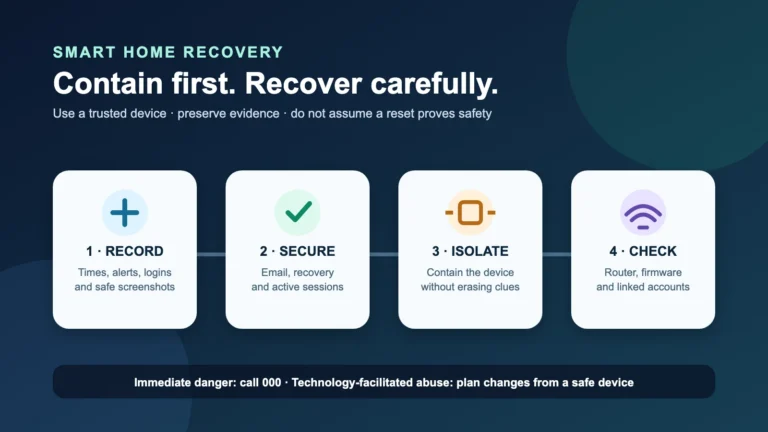
If you see an unknown login, unexplained camera movement, changed settings or clips you did not create, stop routine use and investigate. Preserve relevant account notices, revoke unknown access, change credentials from a trusted device and follow the smart-home compromise recovery guide.
End of support, moving home and disposal
When security updates end, treat replacement as a planned security expense rather than waiting for the camera to fail. If continued offline use is possible, assess whether it still meets the household’s purpose without cloud access. Do not leave an unsupported internet-connected camera running by default.
Before selling, recycling, returning or discarding a camera, download only the clips you genuinely need. Delete recordings and personal information from the device and associated service, remove shared users and third-party integrations, unpair phones and hubs, remove memory cards, perform the manufacturer’s factory-reset process and delete the online account if it is no longer needed. Then verify in the app or account portal that the device no longer appears. When moving out of a rental or selling a home, do not hand over a camera while it remains linked to your account.
A practical setup checklist
- Define the exact security task and choose the least intrusive product that can perform it.
- Check the manufacture date, applicable Statement of Compliance and published security-update end date.
- Confirm audio controls, privacy masks, activity zones, storage location, deletion tools and separate-user access.
- Check state or territory law plus any council, strata, rental or building requirements.
- Test the real field of view by day and night before permanent mounting.
- Create unique credentials, enable multi-factor authentication and update the device and app.
- Secure the router and use a separate IoT or guest network where practical.
- Set a recording schedule, short retention period and restrained notification rules.
- Tell household members how the system works and review shared access.
- Recheck settings after updates and erase, reset and unlink the device before disposal.
Disclosure and scope
This article is independent general information. It contains no affiliate links, does not endorse a manufacturer or product, and does not guarantee security, privacy, legal compliance or a particular outcome. It is not legal advice. Laws and housing rules differ across Australian states and territories and can change; check the rules that apply to your location and circumstances.