Privacy at home
Smart speaker privacy is a household agreement, not a single setting
Disclosure: This article contains no affiliate links or product recommendations. It provides general information only. No configuration can guarantee privacy or security, and this is not legal advice.
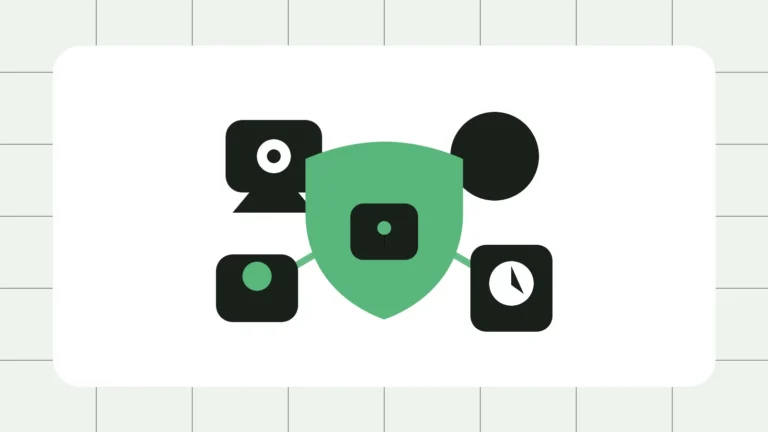
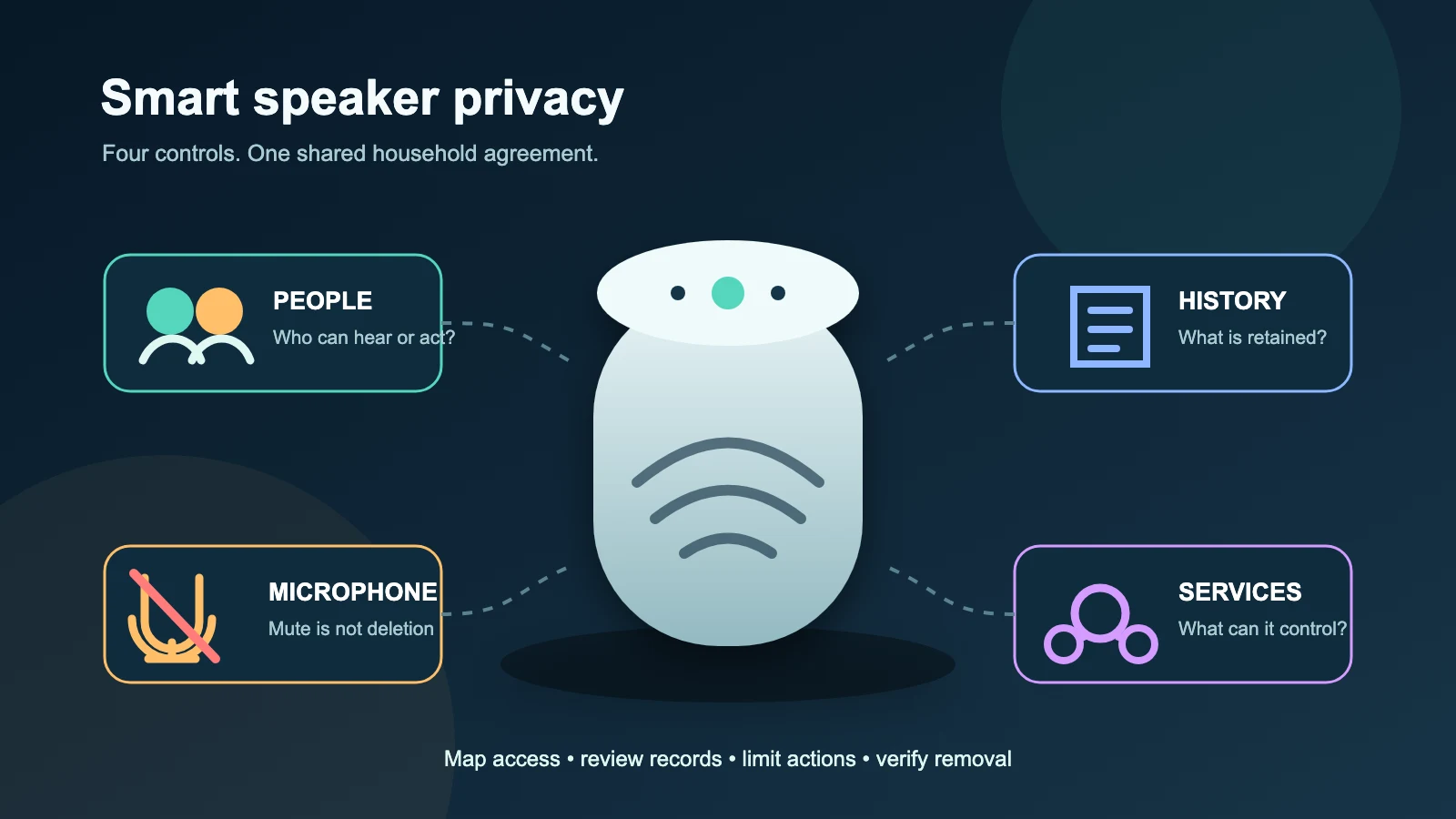
A voice assistant sits in a physical room but usually belongs to a wider system: microphones, an account, a mobile app, cloud processing, household members, connected services and perhaps cameras, locks or payment methods. That makes privacy a shared-household control problem. The person who bought the speaker may administer it, while everyone nearby can be recorded, heard, recognised, answered or affected by a command.
The practical goal is not to make a connected speaker “perfectly private.” It is to decide what the household accepts, reduce unnecessary collection and authority, and make control understandable to residents and visitors. Provider features and setting names change, so use the principles below and review the current provider documentation for the model, account type and region you actually use.
1. Map the household before changing settings
Start with a short inventory. List every voice-enabled speaker, display, television, phone, watch, car interface and third-party device that can reach the same assistant. For each one, record its room, owner account, household or family group, linked services, connected-home controls and who can open the companion app. Include old phones and tablets: an unused device that remains signed in may still provide remote access.
Then map people rather than assuming “the family” is one trust group. Consider adults, children, housemates, carers, cleaners, regular guests and anyone who retains account access after moving out. Ask which rooms routinely contain health conversations, work calls, intimate discussions or children’s play. A kitchen speaker and a bedroom display create different exposure, even under the same account.
Write down what the assistant can do, not just what it can hear. Can it read calendar items, announce reminders, disclose deliveries, call contacts, buy goods, unlock a door, show a camera, change heating, run a bedtime routine or broadcast into another room? This authority map is more useful than a generic privacy checklist because it shows where one misunderstood command could have a material effect.
2. Understand activation, cloud processing and retention
Many assistants wait locally for a wake phrase or button activation, then process at least some request data through provider systems. Exact behaviour varies by product, feature and configuration. False activations can happen when speech or media resembles the wake phrase. Some functions may be processed on the device, while others require cloud services or third parties. Avoid the absolute claims that a device “records everything” or “records only after the wake word”: neither is a safe universal description.
Separate four questions. Activation asks when the device begins treating sound as a request. Transmission asks what leaves the device and where it goes. Activity history asks what request records, transcripts or metadata appear in the account. Audio retention and review asks whether audio is stored, for how long, and whether it may be used in automated or human review. A provider may offer different controls for each layer, and deleting one category may not erase every related record held by linked services.
Check the current account controls together with the device indicators. Review recent activity for unexpected activations, unfamiliar voices or commands from media playback. Decide whether the household wants audio saved, whether automatic deletion is available and appropriate, and whether participation in product-improvement review is acceptable. Revisit the decision after major updates, account migrations or new integrations rather than treating setup day as permanent consent.
3. Treat voice profiles as personalisation, not strong authentication
Voice profiles can help an assistant tailor music, calendars or responses. They should not be treated as proof of identity for a high-impact action. Voices can sound alike; recordings, television audio, illness, age and background noise can affect recognition; and some commands may fall back to a general household response. A recognised voice is a convenience signal, not the equivalent of a secret password or a deliberate approval on a trusted device.
For purchases, sensitive messages, personal results or home access, require a separate confirmation method where the service supports one. Prefer designs that move approval to a locked phone or require a purchase code, and disable voice purchasing if nobody needs it. Keep payment methods and delivery notifications out of shared accounts where possible. More broadly, protect the account itself with a unique password and current sign-in protection; see our passkey and account-recovery guide for the separate authentication job.
4. Reduce sensitive outputs and high-impact actions
Privacy is also about what the assistant says aloud. On a shared speaker, spoken calendar details, medication reminders, contact names, shopping history, commute locations or incoming messages may reach everyone in the room. Review personal-results and notification controls, and prefer a private screen or headphones for sensitive output. Test with an unrecognised household member instead of assuming the intended restriction works.
Audit purchases, calls, drop-in or intercom features, broadcasts and contact access. Remove obsolete contacts and integrations. For routines, read every trigger and every action: a harmless phrase can turn on cameras, open a garage workflow or announce private information across rooms. Use the least authority needed. A speaker that only plays music does not need control of a door lock.
Locks and security systems deserve a stricter boundary. Do not rely solely on speaker location or voice recognition. If voice control is retained, require a separate secret or confirmation and understand whether the action works from every device, remotely, or through linked services. General connected-device security is covered in our smart-device security guide, while router hygiene and network separation belong in the home-network setup guide; here the key question is who in this shared acoustic space can cause or observe an action.
5. Make the system legible to visitors, children and people using accessibility features
Tell visitors when a voice assistant is active, especially in sleeping areas, workspaces or places where private conversations are likely. Put the device where its lights or screen can be seen. Offer a simple way to mute it without needing the administrator’s phone. For a party, meeting, counselling conversation or overnight guest, unplugging or physically muting a speaker may be clearer than asking everyone to remember a wake phrase.
Children need rules they can understand: what the speaker can buy, whom it can call, which information should not be spoken to it, and when to ask an adult. Parental controls can reduce some risks but do not replace supervision or a conversation about recordings and shared spaces. Avoid teaching children that a voice profile makes private information safe. Check age requirements and current family-account documentation for each service.
Voice control can be essential accessibility infrastructure. Do not remove it reflexively from a disabled person or carer in the name of privacy. Instead, design controls with the person who relies on the system: keep essential commands available, minimise unrelated integrations, provide an accessible mute method, document what happens during an outage, and ensure that any replacement confirmation step is actually usable. Privacy and accessibility should be balanced through consent and least privilege, not by withdrawing independence.
6. Safety first where technology may be used for abuse
Safety warning: If a partner, former partner, family member or housemate may be monitoring, intimidating or controlling you through technology, changing settings, removing access, deleting history or resetting a device can alert them and may increase danger. Do not begin remediation on a device or account they may monitor. If it is safe, use a separate trusted device to read specialist guidance and seek support. In immediate danger, contact emergency services.
Possible warning signs include commands you did not issue, routines changing unexpectedly, speakers activating remotely, unknown household members, unexplained announcements, changed lock or camera behaviour, or an abusive person knowing details discussed at home. None of these signs proves what happened; preserve your safety and seek informed help before investigating. eSafety’s technology-facilitated abuse resources explain that connected technology can be used within patterns of coercion and provide safety-oriented next steps.
7. Change accounts and household membership deliberately
When someone moves in, moves out, separates from the household, changes care roles or loses a phone, review the whole control chain. Remove or update household membership, shared calendars, contacts, voice profiles, payment methods, linked skills or services, home permissions and signed-in devices. Change account credentials when appropriate, review recovery email and phone details, and check whether other administrators can add members again.
Do not assume removing a voice profile removes account access, or that deleting a household member revokes every third-party service. Check each linked ecosystem independently. If ownership is transferring, decide which person will retain recordings and account history, and whether a clean reset is more appropriate than handing over an account containing years of household activity.
8. Reset and dispose of devices with verification
Before selling, donating, recycling or returning a speaker, consult the current manufacturer instructions for that exact model. Remove linked services and sensitive home controls, then factory-reset the device. Also remove it from the provider account or household and revoke integrations that do not disappear with a local reset. If the device includes removable storage or a paired hub, handle those components too.
Verification is the final step. After reset, confirm in the account or companion app that the old device no longer appears as controllable, that it cannot run routines or reach locks and cameras, and that the recipient is presented with a fresh setup flow. Review retained activity separately because a factory reset may clear the hardware without deleting cloud-side account history. Keep a note of the serial number and disposal date until the removal is confirmed.
A practical household review
- Inventory devices, rooms, administrators, signed-in phones and linked services.
- Agree where voice assistants are acceptable and how visitors can mute them.
- Review activity, audio-retention choices and product-improvement review settings.
- Limit spoken personal results, purchases, calls, routines, locks and camera access.
- Use voice profiles for personalisation, not as sole approval for sensitive actions.
- Plan accessible controls and child-appropriate rules with the people affected.
- Use a safety-led approach before changing anything that may be part of abuse.
- Recheck membership after household changes and verify removal after reset or disposal.
The best configuration is one everyone affected can explain: when the assistant may activate, what may leave the room, what the account retains, who can control it remotely and which actions require stronger approval. Review those answers periodically. A visible mute button helps, but shared understanding and disciplined account control do the larger job.
Official sources
- eSafety Commissioner — Amazon Alexa
- eSafety Commissioner — Google Assistant
- ACCC — New competition laws needed in response to expansion of digital platforms
- Australian Signals Directorate — Internet of Things devices
- Office of the Australian Information Commissioner — Mobile devices
- eSafety Commissioner — About technology-facilitated abuse
- eSafety Commissioner — I may be experiencing tech-based abuse